Kindo

Your family, in sync.

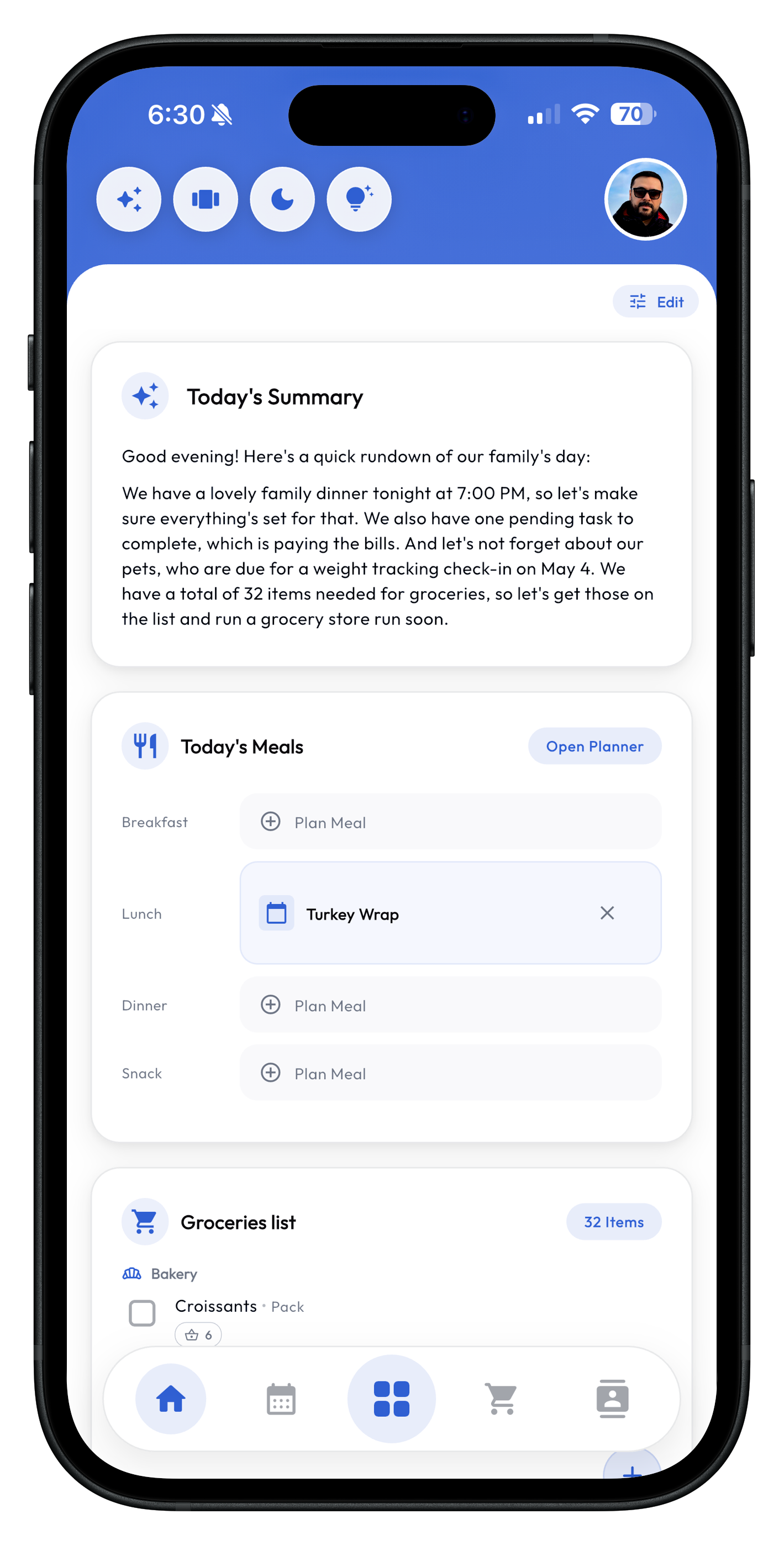
Kindo helps your family stay organized with shared tasks, schedules, budgets, pet care, and more.

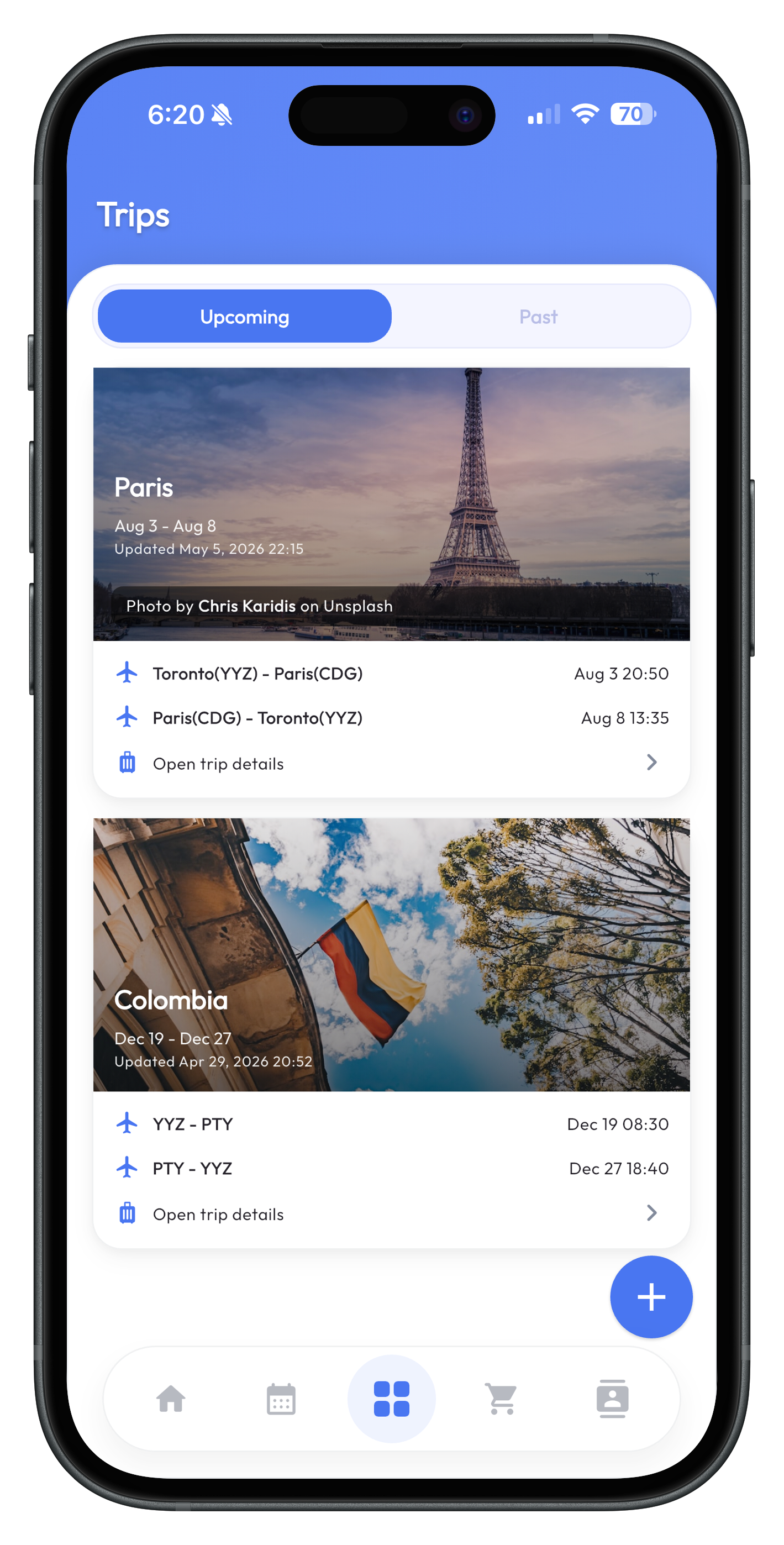
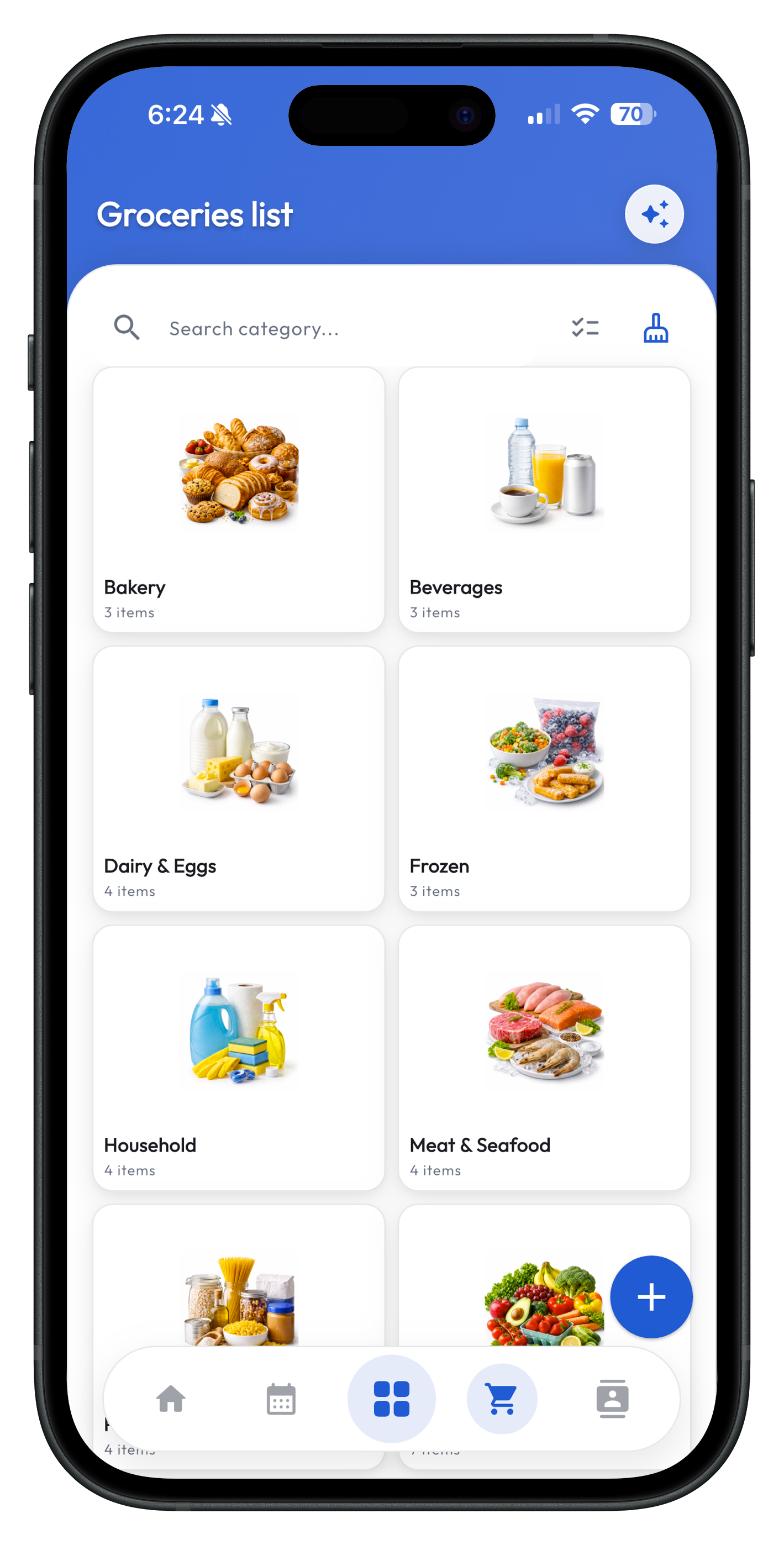
Kindo trips view on iPhone Kindo dashboard view on iPhone Kindo groceries view on iPhone

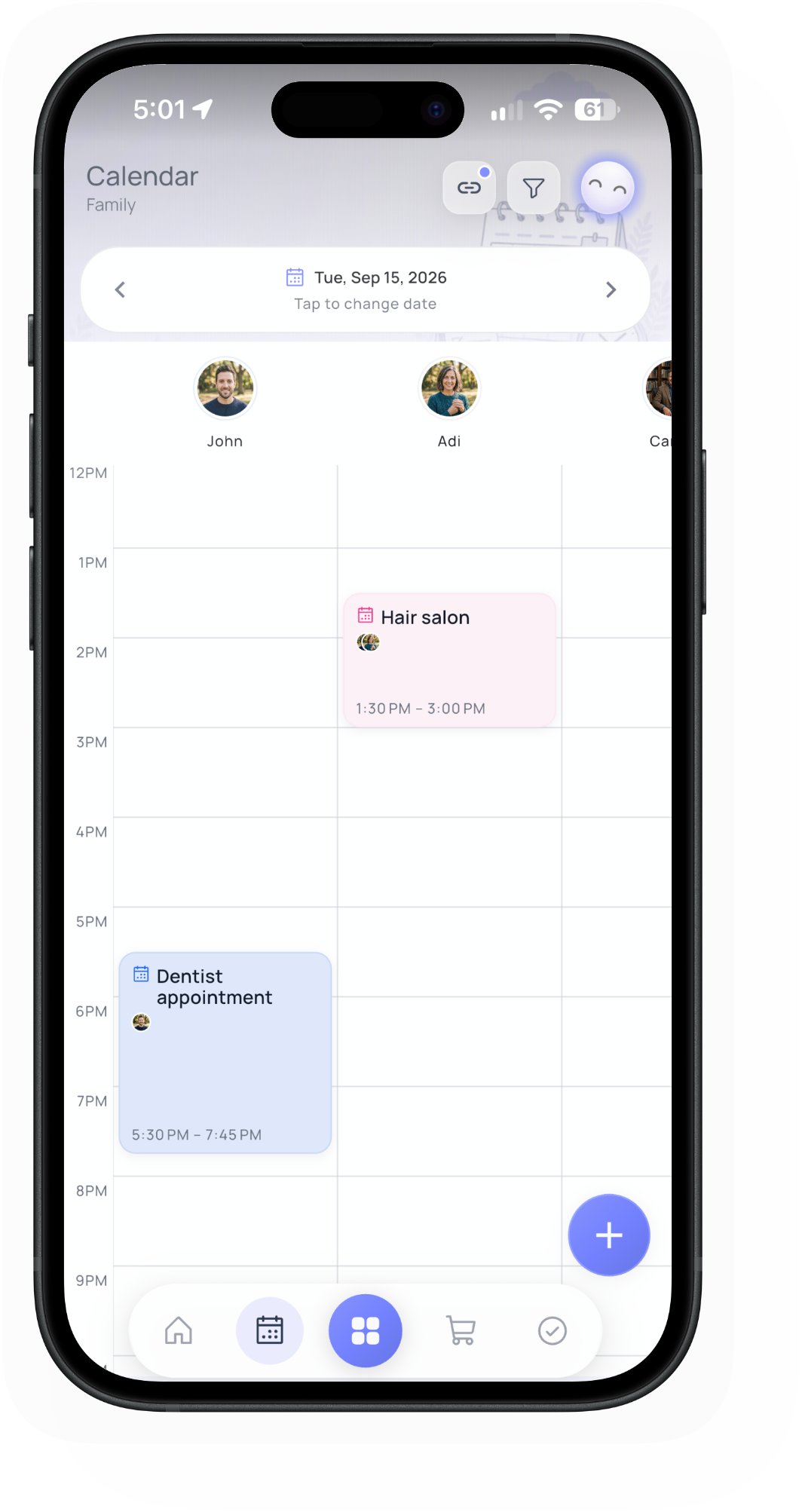
One schedule for the whole family

See school events, appointments, and birthdays in one shared calendar everyone can follow.

  • Create events with reminders and repeat schedules
  • Show birthdays for family, pets, and contacts
  • Sync Google, Apple, and Outlook calendars
One schedule for the whole family

Keep everyone on the same page

Share to-dos, set due dates, and see who owns what across the household.

  • Assign to-dos and track completion together
  • Set due dates, reminders, and repeating chores
  • Switch between list and owner views
Keep everyone on the same page

Shop from one shared list

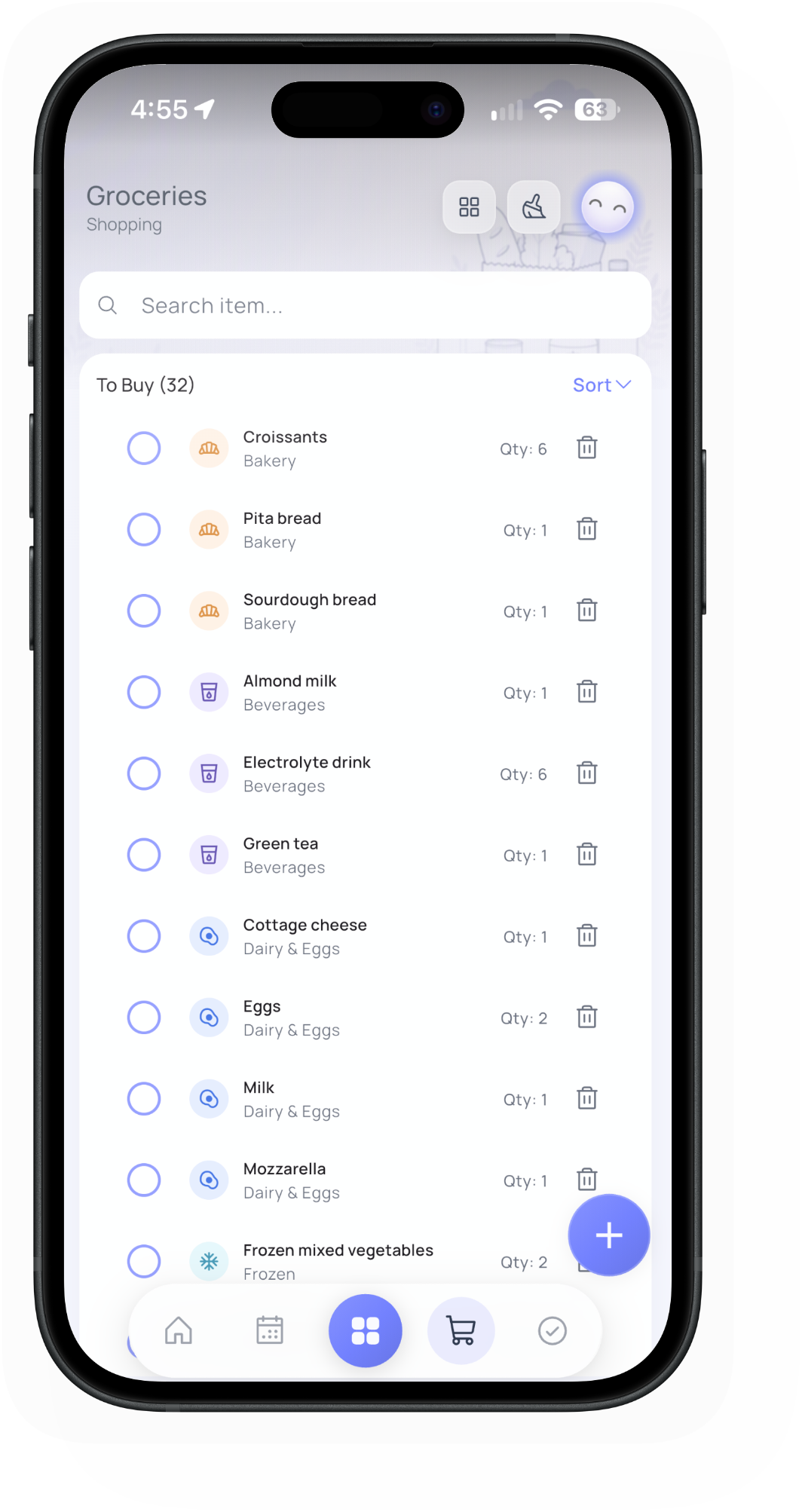
Keep grocery lists, categories, and stores organized so shopping stays simple.

  • Organize items by category and family store
  • Check off items in shopping-list mode
  • Add ingredients from meal plans with Kin
Shop from one shared list

Ask Kin to organize the house

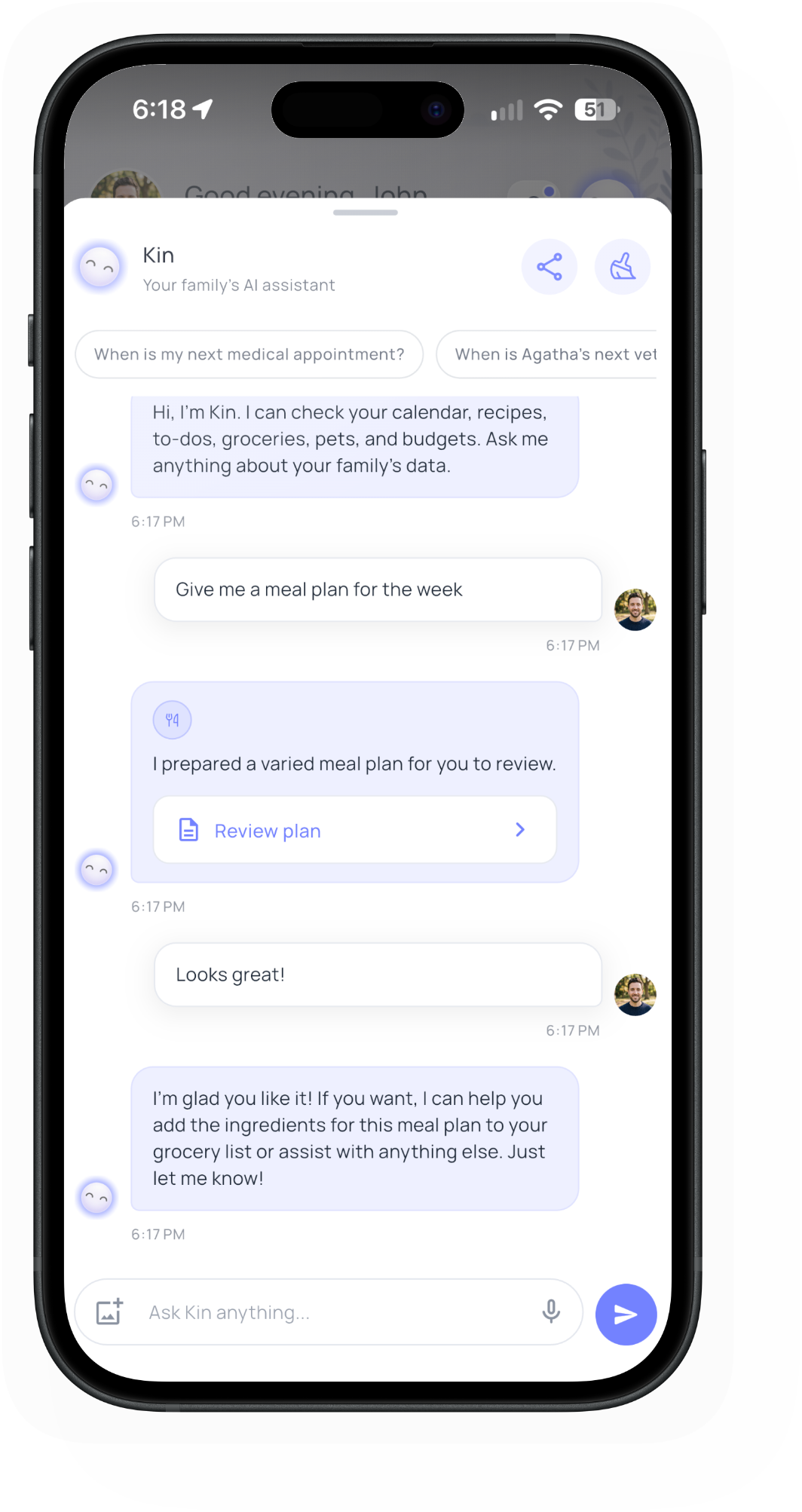
Chat in natural language to create drafts across modules, then confirm before anything is saved.

  • Create calendar events, to-dos, groceries, and more
  • Review drafts before saving to your family hub
  • Ask questions about your family’s existing data
Ask Kin to organize the house

Care for pets with shared routines

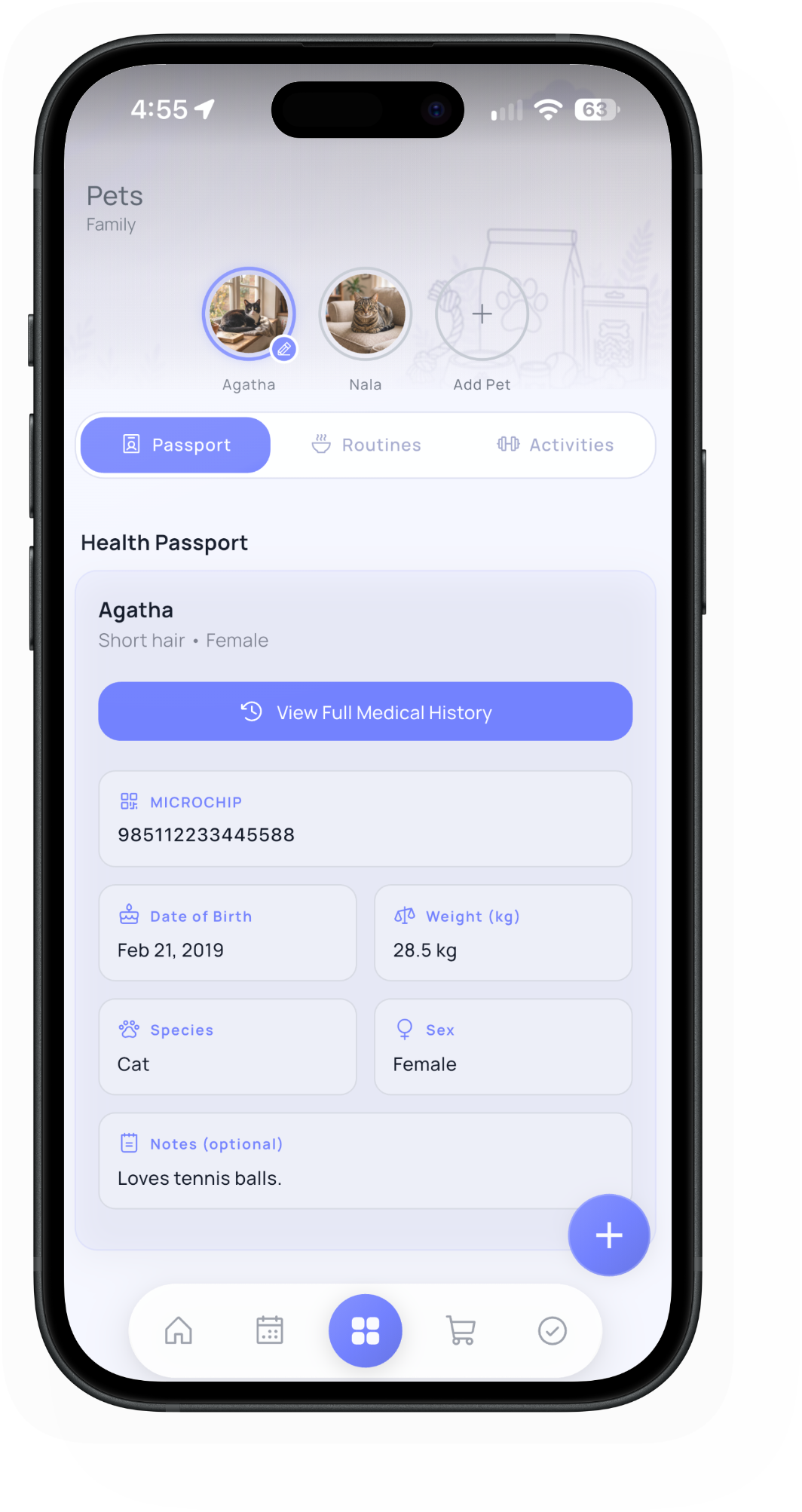
Coordinate health records, daily care, and activities without missing key details.

  • Track vaccinations, vet visits, and preventatives
  • Assign recurring daily care routines
  • Log activities and keep reminders on track
Care for pets with shared routines

Give your family budget clarity

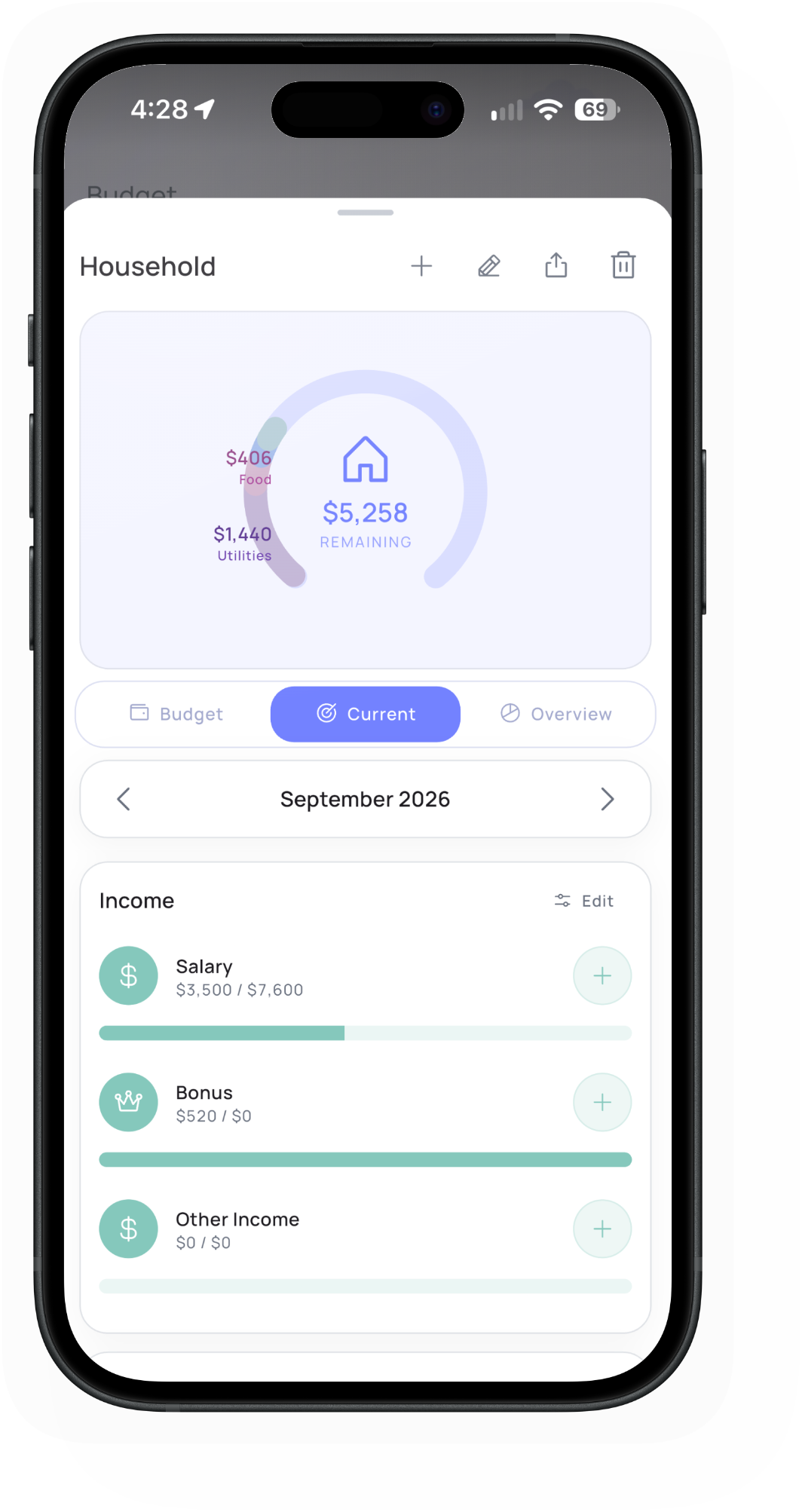
Log spending, group categories, and review trends in a simple shared rhythm.

  • Track income, expenses, and savings
  • Review category and period insights
  • Scan receipts and export reports
Give your family budget clarity

Plan travel in one place

Keep trip dates, transport, and itinerary details together for the whole family.

  • Organize upcoming and past trips
  • Add flights, transport, and itinerary stops
  • Share live flight links and export trip PDFs
Plan travel in one place

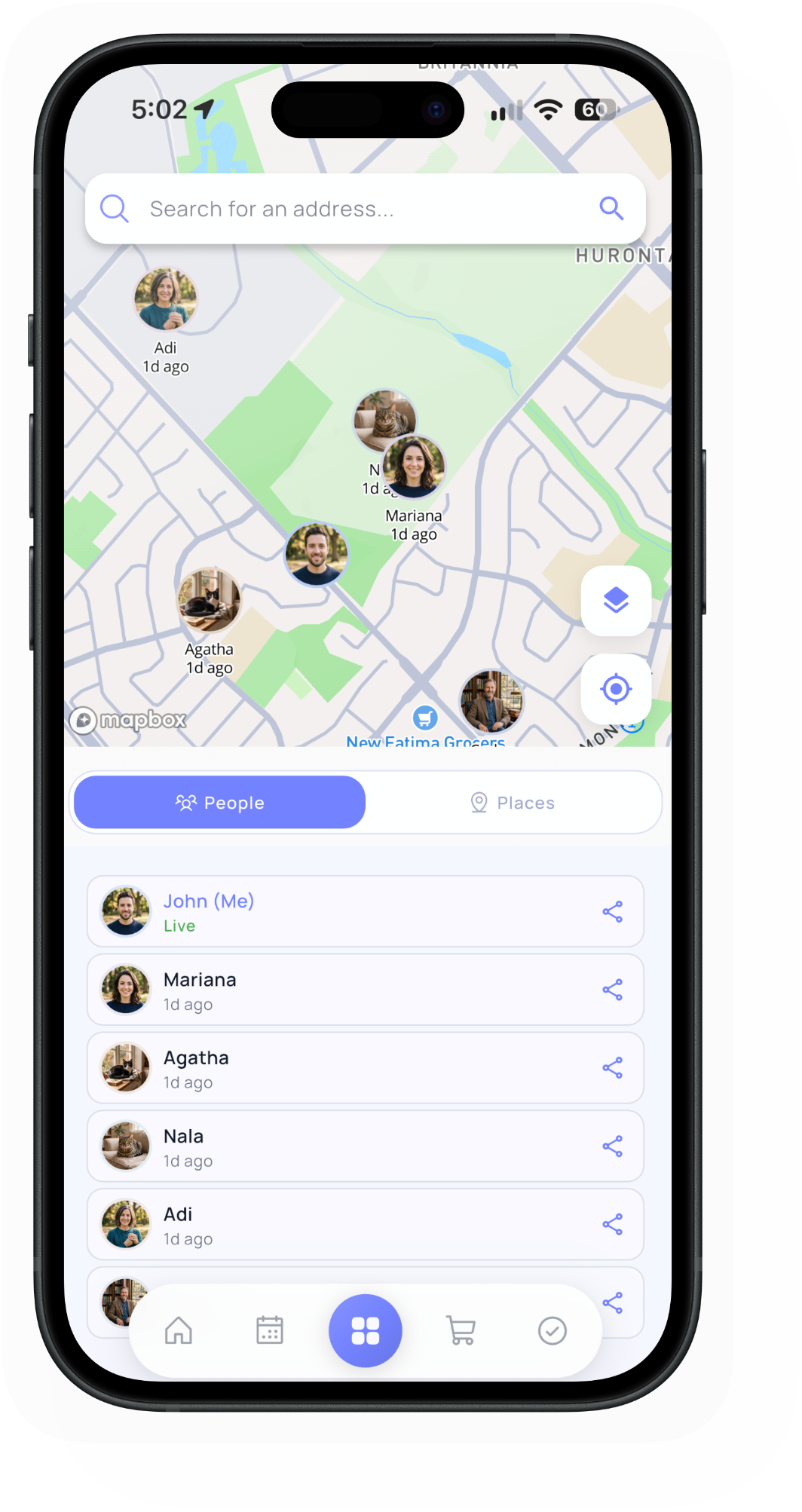
See where family is, and save what matters

Check the family map and keep school, clinics, and favorite places one tap away.

  • View family members on a live shared map
  • Save custom places with icons and notes
  • Switch between People and Places views
See where family is, and save what matters

Each Kindo feature has one job, so families know exactly what to use.

Inspired by skill-based workflows, every tool in Kindo is focused: track tasks, run routines, care for pets, manage budgets, and plan together without noise.

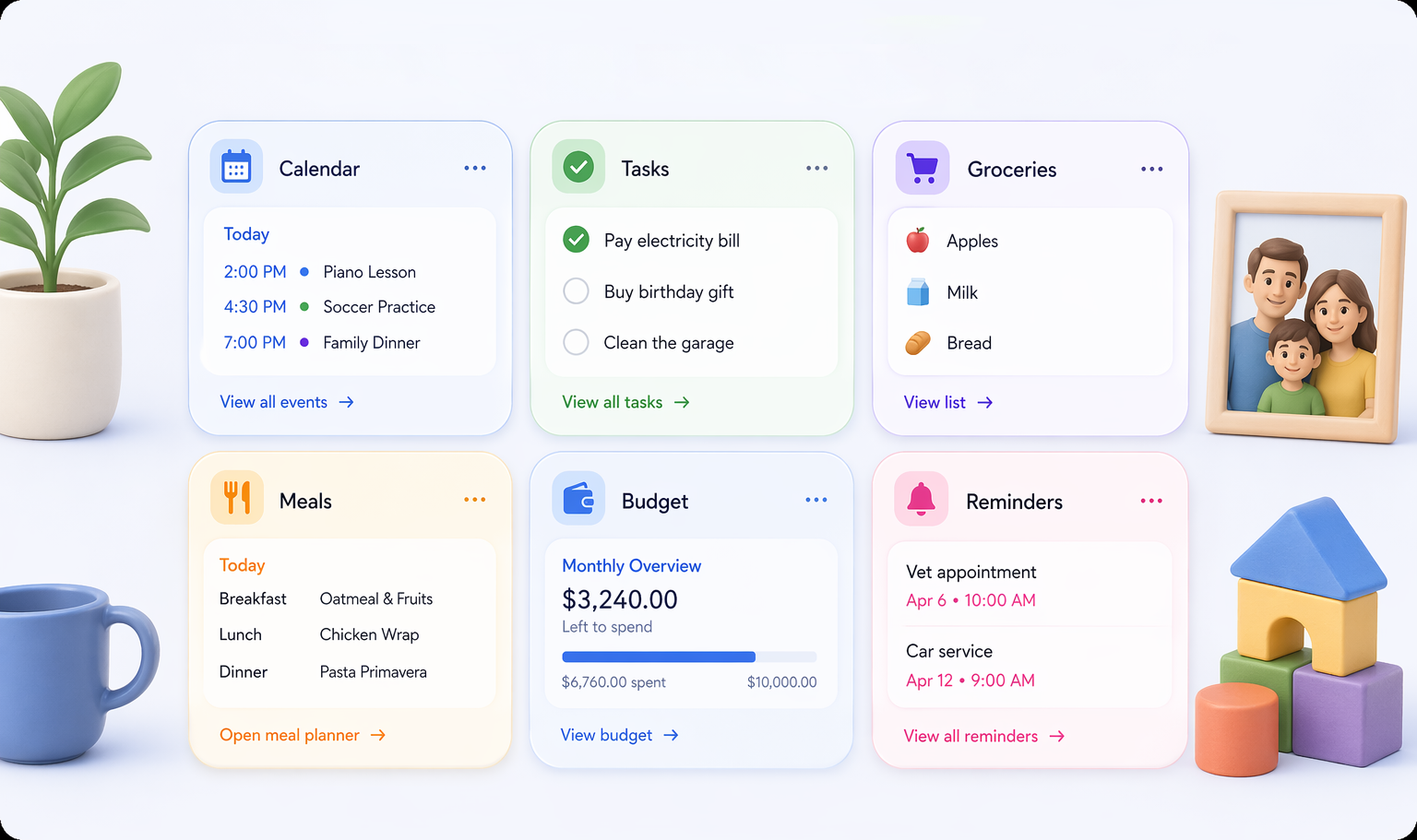
kindo.app — Modules Overview
Kindo modules overview including calendar, tasks, groceries, meals, budget, and reminders

12 Focused Modules for Everyday Living

Everything your family needs, designed with speed, privacy, and simplicity.

Calendar

Manage events, birthdays, and shared schedules with calendar sync.

Groceries

Organize lists by category and store, then shop in check-off mode.

Tasks

Assign chores and track completion with clear ownership.

Contact Book

Keep essential family contacts easy to reach quickly.

Trips

Plan travel with transport, itinerary, and shareable trip PDFs.

Notes

Capture quick family notes, reminders, and ideas.

Gallery

Save and revisit meaningful photos for family moments.

Meals

Plan weekly meals, save recipes, and send ingredients to groceries.

Pet Care

Track health passport records, daily routines, and activities.

Budget

Log income, expenses, and savings with category insights.

Tally

Share expense sheets with running totals, splits, and exports.

Family Locator

See family on the map and save the places that matter.

Kin, your family AI

A companion across every module that turns everyday questions into drafts you review before they land in your family hub.

  • Draft before save: Kin proposes calendar events, to-dos, groceries, recipes, trips, and more for you to confirm.
  • Answers from your data: Ask what’s next on the calendar, which to-dos are open, or how a budget looks.
  • Meal to grocery: After a meal plan is saved, ask Kin to draft that week’s ingredients for review.
  • Voice-ready: Speak naturally with listening cues, then refine the draft before anything is created.

Start your family hub with Kindo